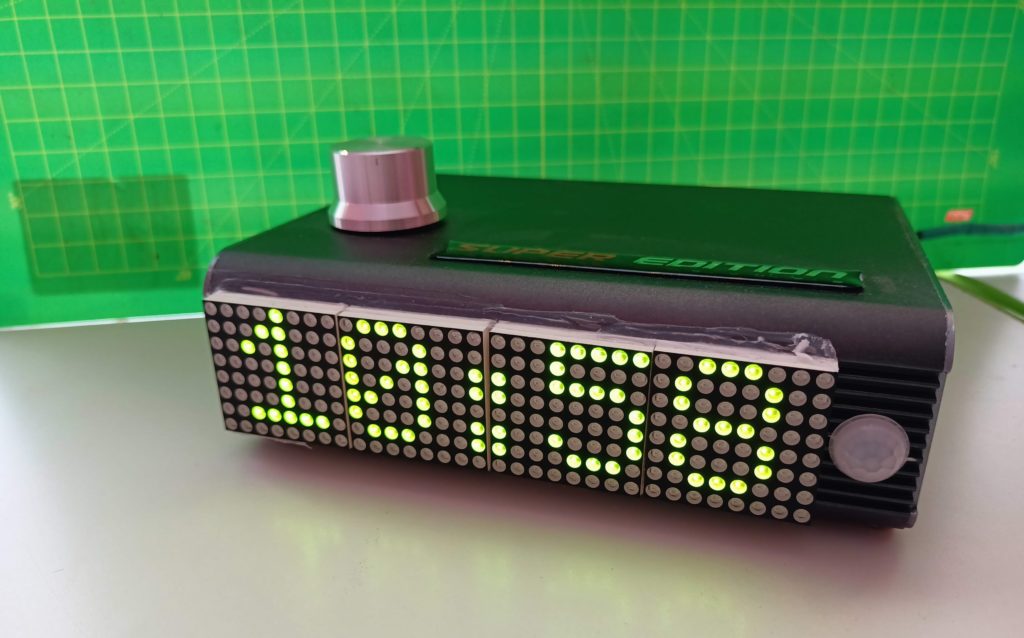
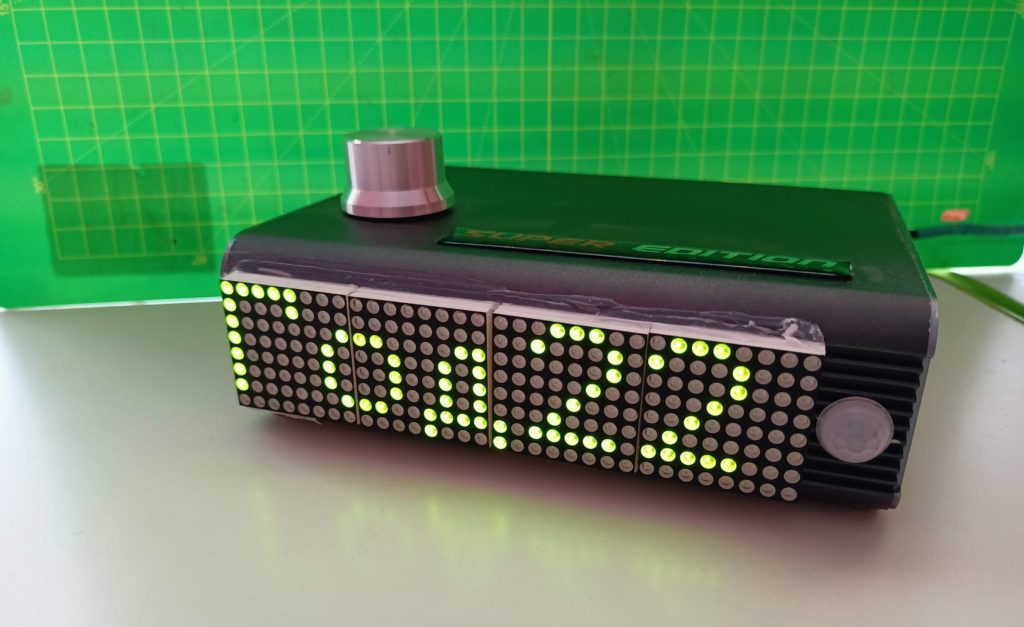
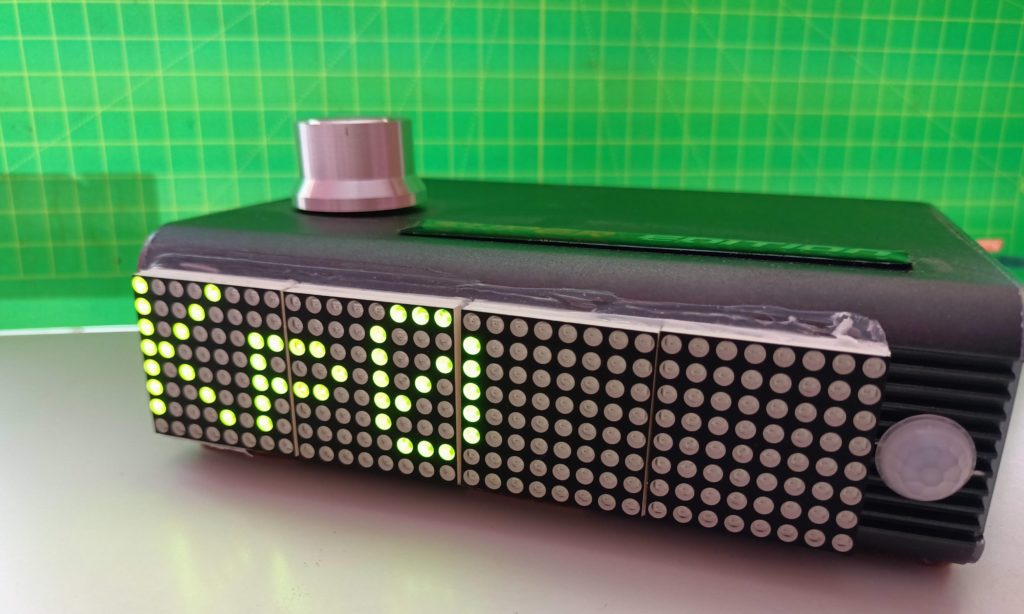
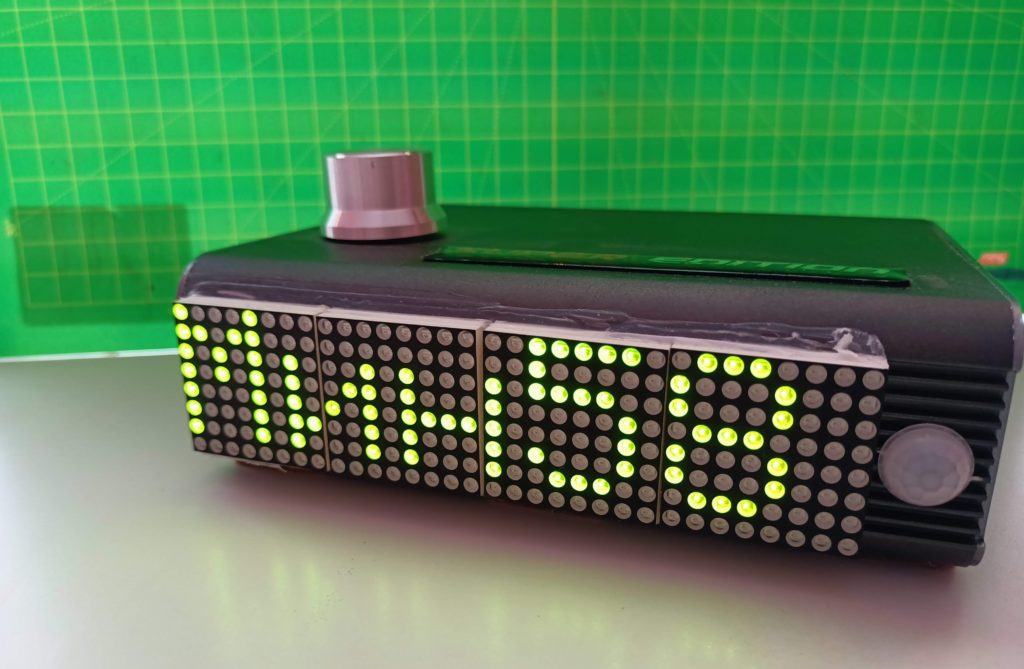
day of the week_en

Calculating the day of the week

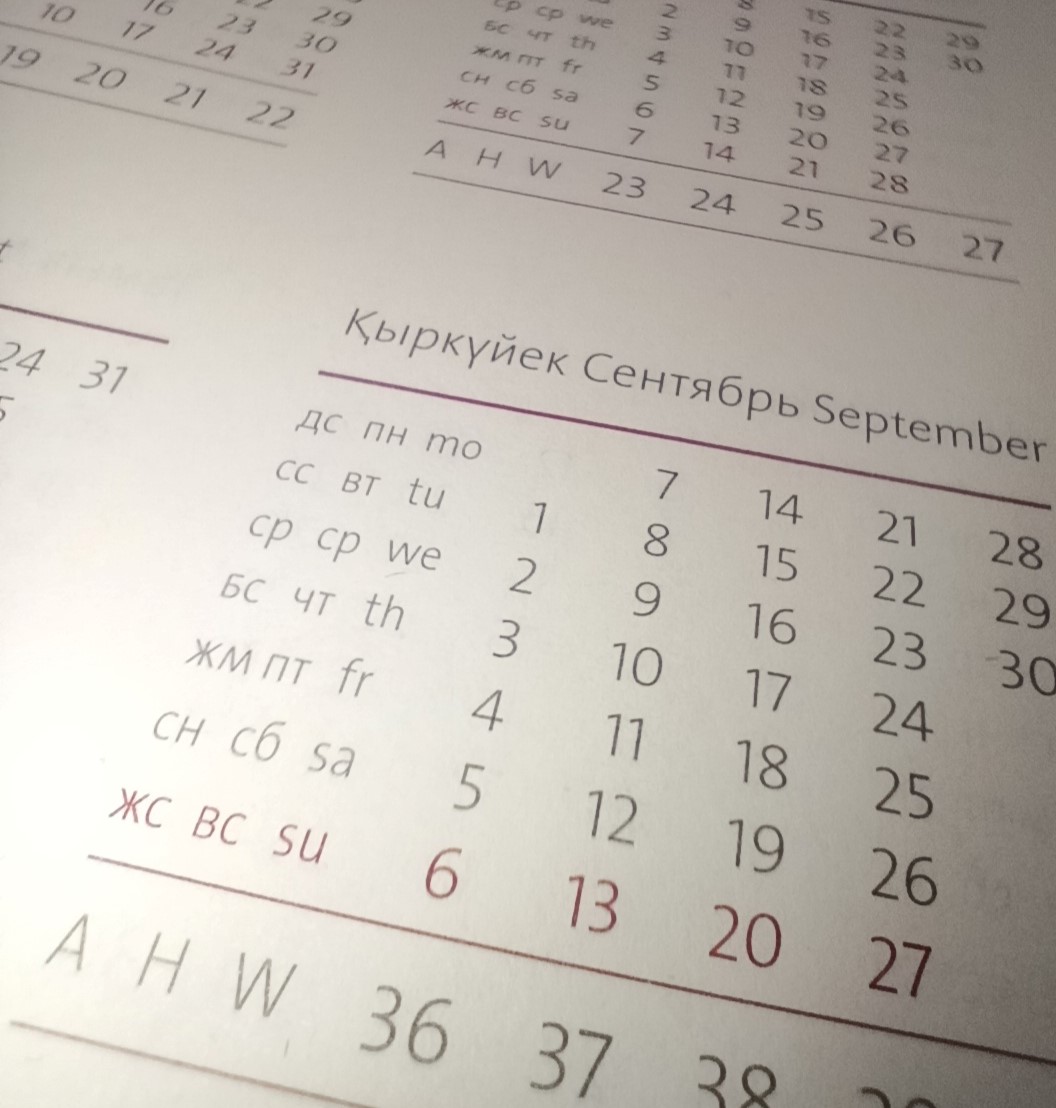
To calculate the day of the week, we use Kim Larsen’s formula.

The formula for calculating the day of the week is based on determining the offset of a given date relative to January 1 AD (Sunday). This determines the offset for a given date (day of the week) of the first day of the year and the offset of the month. Then the sum of «year + month + date» is calculated, where «date» is the day of the month. The remainder of dividing the above amount by 7 will be the number of the day of the week.

«Date» — date, range 1-31

«month» — month, range 3-14, January and February of the current year should be treated as the 13th and 14th month of the previous year.

«year» is a year, while when the «month» is 1 or 2, the year «year» should be reduced by one.

Initial data:

int Set_year; // year

int Set_month; // month

int Set_day; // day

int ned; // day
of the week

The program code for calculating the day of the week on a given date:

byte a = f_div((14 — int(Set_month)), 12);

unsigned int y = (2000 + int(Set_year)) — a;

byte m = int(Set_month) + 12 * a — 2;

unsigned int y4 = f_div(y, 4);

byte y100 = f_div(y, 100);

byte y400 = f_div(y, 400);

byte x = f_div(31 * m, 12);

ned = (int(Set_day) + y + y 4y 100 + y400 + x) %7; //result in the «ned» variable

unsigned int f_div(unsigned int x, unsigned int y)

{

the result is unsigned int;

result = (x — (x % y)) / y;

the returned result;

}

day of the week_ru

Вычисление дня недели

Для вычисления дня недели используем формулу Кима Ларсона.

Формула вычисления дня недели основана на определении смещения заданной даты относительно 1 января нашей эры (воскресенья). Таким образом определяется смещение для заданной даты (день недели) первого дня года и смещение месяца. Затем вычисляется сумма «год + месяц + дата», где «дата» – день месяца. Остаток от деления вышеприведенной суммы на 7 и будет номером дня недели.

«Дата» — дата, диапазон 1-31

«месяц» — месяц, диапазон 3-14, январь и февраль текущего года должны обрабатываться как 13-й и 14-й месяц предыдущего года.

«год» — год, при этом когда в «месяце» — 1 или 2, год «год» нужно уменьшить на единицу.

Исходные данные:

int Set_year; // год

int Set_month; // месяц

int Set_day; // день

int ned; // день
недели

Код программы для вычисления дня недели по заданной дате:

byte a = f_div((14 — int(Set_month)), 12);

unsigned int y = (2000 + int(Set_year)) — a;

byte m = int(Set_month) + 12 * a — 2;

unsigned int y4 = f_div(y, 4);

byte y100 = f_div(y, 100);

byte y400 = f_div(y, 400);

byte x = f_div(31 * m, 12);

ned = (int(Set_day) + y + y4 — y100 + y400 + x) % 7; //результат в переменной «ned»

unsigned int f_div(unsigned int x, unsigned int y)

{

unsigned int result;

result = (x — (x % y)) / y;

return result;

}

Light-set-en

Automatic change of the brightness of the clock display depending on the illumination

One of the functions useful for the clock user is the automatic change of the display brightness. When there is a high level of illumination in the room where the clock is used, the brightness of the clock  display automatically increases. When the light level is low, the brightness of the clock display automatically decreases. Thanks to this function, the clock will not blind your eyes in the evening and early in the morning, in a darkened room. And also will not annoy the inability to recognize the readings of the current time in a brightly lit room.


In the variable definition block, we will set the following variables that will store the current and previous
values of the display brightness depending on the current illumination of the room.
The illumination of the room will be determined by the value of the sensor.

int ligth_Intensity;
int ligth_Intensity2;

Subroutine for controlling the brightness of the clock display:

void light_set ()
{

/*
//////////////for the green display/////////////////
assign the variable «light_Intensity», the value of the brightness of the clock display,
depending on the level of illumination of the room according to the following algorithm:

if (analogRead(lightPin)>=200 & analogRead(lightPin)<=900) ligth_Intensity=(int(analogRead(lightPin)/75));// if the illumination is between 200 and 900,
set the brightness value of the clock display between «2» and «12»
if (analogRead(lightPin)<200) ligth_Intensity=0;//if the illumination is below 200, then set the brightness value of the clock display to «0» — the minimum value
if (analogRead(lightPin)>900) ligth_Intensity=15;// if the illumination is above 900, then set the brightness value of the clock display to «0» — the maximum value

if (abs(ligth_Intensity2 — ligth_Intensity)>2) {// to reduce the flicker effect, we will change the brightness of the watch display only
when the brightness of the display needs to be increased or decreased by more than 2 levels

ligth_Intensity2=ligth_Intensity;
matrix.setIntensity(ligth_Intensity);// setting the display brightness
}
//////////////for the green display/////////////////
*/


// a similar algorithm for a red display, the difference is only in the formula for calculating the brightness, which were determined empirically
//////////////for the red display/////////////////
if (analogRead(lightPin) >= 400 & analogRead(lightPin) <= 1000) ligth_Intensity = (int(analogRead(lightPin) / 100) — 3);


if (analogRead(lightPin) < 400) ligth_Intensity = 0;
if (analogRead(lightPin) > 1000) ligth_Intensity = 14;


if (abs(ligth_Intensity2 — ligth_Intensity) > 2) {

ligth_Intensity2 = ligth_Intensity;
matrix.setIntensity(ligth_Intensity);


}
//////////////for the red display/////////////////

}

In order for the function to work, you need to call it every time from the main program cycle before displaying the clock time readings.

light-set-ru

Автоматическое изменение яркости дисплея часов в зависимости от освещенности

Одна из полезных для пользователя часов функций — это автоматическое изменение яркости дисплея. Когда в помещении, где используются часы, высокий уровень освещенности, яркость дисплея часов автоматически увеличивается. Когда уровень освещенности низкий, яркость дисплея часов автоматически уменьшается. Благодаря этой функции часы не будут слепить глаза вечером и рано утром, в затемненном помещении. А также не будут раздражать невозможностью распознать показания текущего времени в ярка залитой светом комнате.


В блоке определения переменных зададим следующие переменные которые будут хранить текущее и предыдущее
значение яркости дисплея в зависимости от текущей освещенности помещения.
Освещенность помещения будем определять по значению датчика.

int ligth_Intensity;
int ligth_Intensity2;

Подпрограмма по управлению яркостью дисплея часов:

void light_set ()
{

/*
//////////////для зеленого дисплея/////////////////
присвоим переменной ligth_Intensity, значение яркости дисплея часов в зависимости от уровня освещенности помещения по следующему алгоритму:

if (analogRead(lightPin)>=200 & analogRead(lightPin)<=900) ligth_Intensity=(int(analogRead(lightPin)/75));// если освещенность между 200 и 900,
установим значение яркости дисплея часов между «2» и «12»
if (analogRead(lightPin)<200) ligth_Intensity=0;// если освещенность ниже 200, то установим значение яркости дисплея часов «0» — минимальное значение
if (analogRead(lightPin)>900) ligth_Intensity=15;// если освещенность выше 900, то установим значение яркости дисплея часов «0» — максимальное значение

if (abs(ligth_Intensity2 — ligth_Intensity)>2) {// чтобы снизить эффект мерцания, изменять яркость дисплея часов будем только тогда,
когда яркость дисплея требуется увеличить или уменьшить более, чем на 2 уровня

ligth_Intensity2=ligth_Intensity;
matrix.setIntensity(ligth_Intensity);// установка яркости дисплея
}
//////////////зеленый/////////////////
*/


// аналогичный алгоритм для красного дисплея, разница только в формуле расчета яркости, которые были определены опытным путем
//////////////для красного дисплея/////////////////
if (analogRead(lightPin) >= 400 & analogRead(lightPin) <= 1000) ligth_Intensity = (int(analogRead(lightPin) / 100) — 3);


if (analogRead(lightPin) < 400) ligth_Intensity = 0;
if (analogRead(lightPin) > 1000) ligth_Intensity = 14;


if (abs(ligth_Intensity2 — ligth_Intensity) > 2) {

ligth_Intensity2 = ligth_Intensity;
matrix.setIntensity(ligth_Intensity);


}
//////////////красный/////////////////

}

Для того, чтобы функция заработала, нужно вызывать ее каждый раз из основного цикла программы перед отображением показаний времени часов.

Setting the date and time of the clock-en

Setting the date and time of the clock

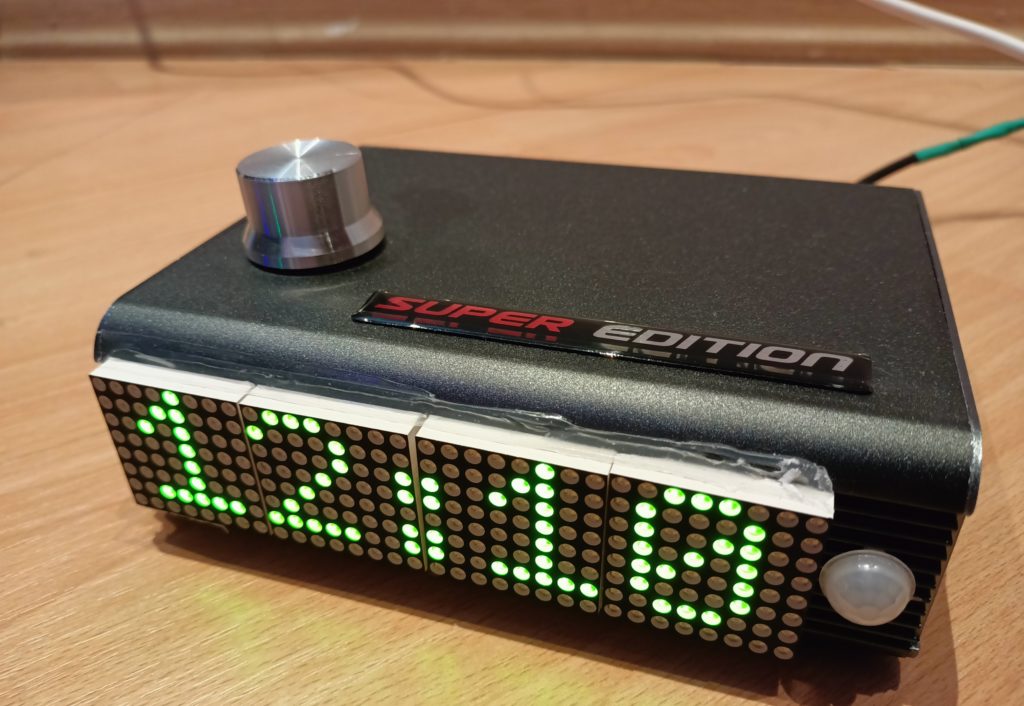
One of the necessary functions of the watch is the ability for the user to set the date and time. We organize the control of this function by means of an encoder.

To control the encoder, connect the library:


#include // Arduino library for working with the encoder


SimpleRotary rotary(7, 8, 4); // 7, 8, 4 — pins to which we connect the encoder


Let’s set the value of two variables:

s_mode = 0; // variable defining the device mode «time display»


a_mode = 0; // a variable that determines the transfer of the device to the time setting mode


In the time display mode, both variables are zero.

To enter the clock device into the date and time setting mode, you need to press the encoder, after which we assign the value «1» to the s_mode variable and proceed to the date and time setting routine «set_param»:


int rBtn = rotary.push();


if ( rBtn == 1 )


{


if (s_mode == 0) {


s_mode = 1;


set_param();


}


}


Now let’s look at the subroutine that controls the clock device mode «setting the date and time»:


void set_param()


{


// first, we will set the initial values of the variables, which will contain the new date and time values. In the future, the values of these variables will be changed to new ones by the user himself, by controlling the encoder:


byte Set_Hours = time.Hours; // the initial value of the variable «hour»


byte Set_minutes = time.minutes; // the initial value of the variable «minutes»


byte Set_day = time.day; // the initial value of the variable «day»


byte Set_month = time.month; // the initial value of the «month» variable


byte Set_year = time.year; // the initial value of the variable «year»


byte ned; // the value of the «day of the week» variable will be calculated during the date setting


Immediately after entering the clock device into the setting mode (by pressing the encoder), we will begin adjusting the date and time in the following sequence:

  1. adjusting the «year» value;

  2. adjusting the «month» value;

  3. adjusting the «day» value;

  4. calculating the day of the week;

  5. adjusting the «hour» value;

  6. adjusting the «minute» value.

  7. correction of the «stroke correction» value.

After each click on the encoder, we will display the corrected value on the clock display: «year», «month», «day», «hour», minutes», «stroke correction». We will change the value itself by rotating the encoder handle. With the subsequent click, we go to the next corrected value. After setting the «stroke correction» value and pressing the encoder, we set the new date and time and switch the clock device from the date and time setting mode to the «time display» mode.

The first corrected value is «year».

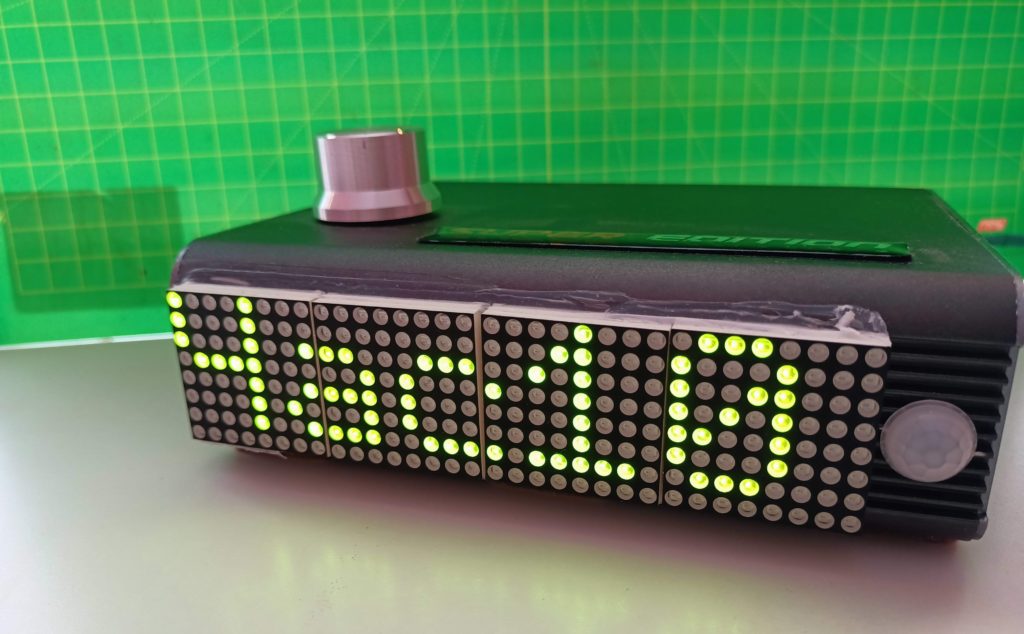
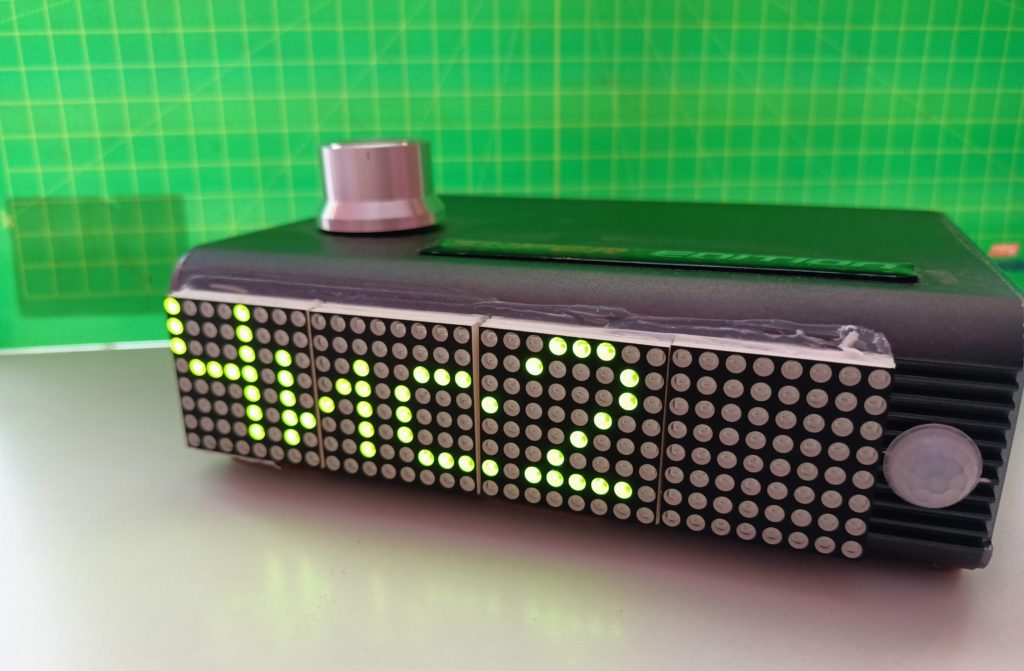
In the setting mode, the corrected parameter will be displayed on the clock display, which consists of two components: 1. the abbreviated designation of the parameter (for example, when adjusting the year «Y:») and 2. the parameter value itself (for example, «22»). The «change_param» subroutine will be responsible for displaying the corrected parameters on the display, to the input of which we pass the string variable c_par:

// subroutine change_param:

void change_param(String c_par) {

matrix.fillScreen(LOW);

int y = (matrix.height() — 8) / 2; // Centering the text Vertically

for ( int i = 0 ; i < c_par.length(); i++ ) {matrix.drawChar(i * (width), y, c_par[i], HIGH, LOW, 1); }

matrix.write();} // Output to the display

//


We continue to study the time and date setting routine. The first parameter that will be displayed for adjustment is «Year».

c_par = utf8rus(«Г:») + String (Set_year);// we set the value of the variable c_par, which at the initial moment will look like «Y: 22″

change_param(c_par); // we display the corrected value of the year on the display


Let’s organize a loop that will be executed until the value of the variable «s_mode» is set to «0».

while (s_mode != 0) {

int rDir = rotary.rotate(); // variable controlling the rotation of the encoder

int rBtn = rotary.push(); // variable controlling the click on the encoder

// in case of a short press on the encoder

if ( rBtn == 1 )

{

if (s_mode == 6) { // if the variable «s_mode» was equal to «6», then all parameters are set. In this case, we assign the value «0» to the variable «s_mode» (to switch the clock device to the time display mode) and enter new date and time values into the device:

s_mode = 0;

time.Hours = Set_Hours;

time.minutes = Set_minutes;

time.day = Set_day;

time.month = Set_month;

time.year = Set_year;

time.weekday = ned;

time.settime(0, time.minutes, time.Hours, time.day, time.month, time.year, time.weekday);

time.gettime(«d-m-Y, H:i:s, D»);

// we write the date and hour of the last time adjustment, as well as the value of the daily adjustment of the clock, into the non-volatile memory of the clock device:

dd2 = time.day;

mm2 = time.month;

gg2 = time.year;

hr2 = time.Hours;

delay(100);

EEPROM.write(0, Corr_time);

EEPROM.write(1, dd2);

EEPROM.write(2, mm2);

EEPROM.write(3, gg2);

EEPROM.write(4, hr2);

}


else if (s_mode == 5) { // if the encoder is pressed when adjusting the value of «minutes», we proceed to adjust the value of «correction of the passage of time»

s_mode = 6;

}


else if (s_mode == 4) {// if the encoder is pressed when adjusting the «hour» value, we proceed to adjusting the «minute» value

s_mode = 5;

}


else if (s_mode == 3) {// if the encoder is pressed when adjusting the «day» value, we proceed to adjusting the «hour» value

s_mode = 4;

}


else if (s_mode == 2) {// if the encoder is pressed when adjusting the «month» value, we proceed to adjusting the «day» value

s_mode = 3;

}


else if (s_mode == 1) {// if the encoder is pressed when adjusting the «year» value, we proceed to adjusting the «month» value

s_mode = 2;

}

}


// setting a string variable containing the corrected value:

if (s_mode == 1) {

c_par = «Y:» + String (Set_year);

}

else if (s_mode == 2) {

c_par = «M:» + String (Set_month);

}

else if (s_mode == 3) {

c_par = «D:» + String (Set_day);

}

else if (s_mode == 4) {

c_par = «H:»)+ String (Set_Hours);

}

else if (s_mode == 5) {

c_par = «M:» + String (Set_minutes);

}

else if (s_mode == 6) {

c_par = «Kp» + String (int(Corr_time));

}

change_param(c_par); // we display the corrected value

/////////////////////////

//we determine that there was a rotation of the encoder

if ( rDir != 0 ) {

// CW

if (s_mode == 1) { //with each rotation of the encoder, we will increase or decrease (depending on the direction of rotation of the encoder) the initial value of the year. If you increase the value of the year to «51», reset the value of the year to «20». When reducing the year value to «19», reset the year value to «50».

if ( rDir == 1 ) {

if (Set_year > 50)

{

Set_year = 20;

}

else

{

Set_year ++;

}

}

if ( rDir == 2 ) {

if (Set_year < 20)

{

Set_year = 50;

}

else

{

Set_year —;

}

}

delay(100);

}

else if (s_mode == 2) { //with each rotation of the encoder, we will increase or decrease (depending on the direction of rotation of the encoder) the initial value of the month. When increasing the month value to «12», reset the month value to «1». When reducing the month value to «1», reset the month value to «12».

if ( rDir == 1 ) {

if (Set_month == 12)

{

Set_month = 1;

}

else

{

Set_month ++;

}

}

if ( rDir == 2 ) {

if (Set_month == 1)

{

Set_month = 12;

}

else

{

Set_month —;

}

}

delay(100);

}

else

if (s_mode == 3) {//It should be taken into account that each month has a different number of days. Including in February, there may be 28 and 29 days. Therefore, we will determine the sign of a leap year and take into account the previously set month:

if (Set_month == 2) {

LeapYear = 0; //first you need to determine whether the current year is a leap year or not

if ( (((2000 + int(Set_year)) % 4) == 0) & (((2000 + int(Set_year)) % 100) != 0) || (((2000 + int(Set_year)) % 400) == 0) ) {

LeapYear = 1; // a sign of a leap year

}

else {

LeapYear = 0;// a sign of a non-leap year

}

}

if ( rDir == 1 ) { //with each rotation of the encoder, we will increase or decrease (depending on the direction of rotation of the encoder) the initial value of the day. If we increase the value of the day to the last one in this month, we will reset the value of the day to «1». When reducing the value of the month to «1», we reset the value of the day to the last value in this month.

if ((Set_day == 31) & (Set_month == 1 || Set_month == 3 || Set_month == 5 || Set_month == 7 || Set_month == 8 || Set_month == 10 || Set_month == 12)) {

Set_day = 1;

}

else if ((Set_day == 30) & (Set_month == 4 || Set_month == 6 || Set_month == 9 || Set_month == 11)) {

Set_day = 1;

}

else if ((Set_day == 29) & (Set_month == 2)) {

Set_day = 1;

}

else if ((Set_day == 28) & (Set_month == 2) & (LeapYear == 0) ) {

Set_day = 1;

}

else

{

Set_day ++;

}

}

if ( rDir == 2 ) {

if (Set_day == 1)

{

if ((Set_month == 1 || Set_month == 3 || Set_month == 5 || Set_month == 7 || Set_month == 8 || Set_month == 10 || Set_month == 12)) {

Set_day = 31;

}

else if ((Set_month == 4 || Set_month == 6 || Set_month == 9 || Set_month == 11)) {

Set_day = 30;

}

else if (Set_month == 2) {

Set_day = 29;

}

else if ((Set_month == 2) & (LeapYear == 0) ) {

Set_day = 28;

}

}

else

{

Set_day —;

}

}

//In this part of the subroutine, the calculation of the day of the week:

byte a = f_div((14 — int(Set_month)), 12);

unsigned int y = (2000 + int(Set_year)) — a;

byte m = int(Set_month) + 12 * a — 2;

unsigned int y4 = f_div(y, 4);

byte y100 = f_div(y, 100);

byte y400 = f_div(y, 400);

byte x = f_div(31 * m, 12);

ned = (int(Set_day) + y + y4 — y100 + y400 + x) % 7; //the result in the «ned» variable

delay(100);


}

//////////////////

unsigned int f_div(unsigned int x, unsigned int y) {

unsigned int result;

result = (x — (x % y)) / y;

return result;

}

///////////////////

else if (s_mode == 4) {//with each rotation of the encoder, we will increase or decrease (depending on the direction of rotation of the encoder) the initial value of the hour. When increasing the hour value to «23», reset the hour value to «1». When reducing the hour value to «0», reset the hour value to «23».

if ( rDir == 1 ) {

if (Set_Hours == 23)

{

Set_Hours = 0;

}

else

{

Set_Hours ++;

}

}

if ( rDir == 2 ) {

if (Set_Hours == 0)

{

Set_Hours = 23;

}

else

{

Set_Hours —;

}

}

delay(100);

}

else if (s_mode == 5) {//with each rotation of the encoder, we will increase or decrease (depending on the direction of rotation of the encoder) the initial value of minutes. When increasing the minutes value to «59», reset the minutes value to «1». When reducing the minutes value to «0», reset the minutes value to «59».

if ( rDir == 1 ) {

if (Set_minutes == 59)

{

Set_minutes = 0;

}

else

{

Set_minutes ++;

}

}

if ( rDir == 2 ) {

if (Set_minutes == 0)

{

Set_minutes = 59;

}

else

{

Set_minutes —;

}

}

delay(100);

}

else if (s_mode == 6) {//with each rotation of the encoder, we will increase or decrease (depending on the direction of rotation of the encoder) the initial value of the clock stroke correction. When increasing the value to «59», reset the value to «1». When reducing the value to «0», reset the value to «59».

if ( rDir == 1 ) {

if (Corr_time == 59)

{

Corr_time = -59;

}

else

{

Corr_time++;

}

}

if ( rDir == 2 ) {

if (Corr_time == -59)

{

Corr_time = 59;

}

else

{

Corr_time —;

}

}

delay(100);

}

}

/////////////////////////

}//end while

}


Setting the date and time of the clock-ru

Установка даты и времени устройства часов

Одна из необходимых функций часов, это возможность для пользователя установить дату и время. Организуем управление этой функции посредством энкодера.

Для управления энкодером подключаем библиотеку:


#include // Библиотека для работы с энкодером


SimpleRotary rotary(7, 8, 4); // 7, 8, 4 — пины к которым подключаем энкодер


Зададим две переменные:

s_mode = 0; // переменная определяющая режим устройства «отображение времени»


a_mode = 0; // переменная определяющая перевод устройства в режим установки времени


В режиме отображения времени, обе переменные равны нулю.

Для ввода устройства часов в режим установки даты и времени необходимо нажать энкодер, после чего присваиваем переменной s_mode значение «1» и переходим к подпрограмме установки даты и времени «set_param»:


int rBtn = rotary.push();


if ( rBtn == 1 )


{


if (s_mode == 0) {


s_mode = 1;


set_param();


}


}


Теперь рассмотрим подпрограмму, управляющую режимом устройства часов «установка даты и времени»:


void set_param()


{


// сначала зададим начальные значения переменных, в которых будут содержатся новые значения даты и времени. В последующем значения этих переменных будут меняться на новые самим пользователем, путем управления энкодером:


byte Set_Hours = time.Hours; // начальное значение переменной «час»


byte Set_minutes = time.minutes; // начальное значение переменной «минуты»


byte Set_day = time.day; // начальное значение переменной «день»


byte Set_month = time.month; // начальное значение переменной «месяц»


byte Set_year = time.year; // начальное значение переменной «год»


byte ned; // значение переменной «день недели» будем вычислять во время установки даты


Сразу после ввода устройства часов в режим установки (путем нажатия на энкодер) начнем корректировку даты и времени в следующей последовательности:

  1. корректировка значения «год»;

  2. корректировка значения «месяц»;

  3. корректировка значения «день»;

  4. вычисление дня недели;

  5. корректировка значения «час»;

  6. корректировка значения «минуты».

  7. корректировка значения «коррекция хода».

После каждого нажатия на энкодер отобразим на дисплее часов корректируемую величину: «год», «месяц», «день», «час», минуты», «коррекция хода». Изменение самой величины будем осуществлять при вращении ручки энкодера. При последующей нажатии переходим к к следующей корректируемой величине. После установки значения «коррекция хода» и нажатии на энкодер, устанавливаем новые дату и время и переводим устройство часов из режима установки даты и времени в режим «отображение времени».

Первое корректируемое значение — «год».

В режиме установки на дисплее часов будет отображаться корректируемый параметр, который состоит из двух компонентов: 1. сокращенного обозначения параметра (например, при корректировке года «Г:») и 2. самого значения параметра (например «22»). За отображение корректируемых параметров на дисплее будет отвечать подпрограмма «change_param», на вход которой передаем строковую переменную c_par:

//Подпрограмма change_param:

void change_param(String c_par) {

matrix.fillScreen(LOW);

int y = (matrix.height() — 8) / 2; // Центрируем текст по Вертикали

for ( int i = 0 ; i < c_par.length(); i++ ) {matrix.drawChar(i * (width), y, c_par[i], HIGH, LOW, 1); }

matrix.write();} // Вывод на дисплей

//


Продолжаем разбираться с подпрограммой установки времени и даты. Первый параметр, который будет выведен на дисплей для корректировки, это «Год».

c_par = utf8rus(«Г:») + String (Set_year);// задаем значение переменной c_par, которая в начальный момент будет выглядеть как «Г: 22»

change_param(c_par); // выводим на дисплее корректируемую величину года


Организуем цикл, который будет исполняться до тех пор, пока значение переменной «s_mode» на будет установлено в «0».

while (s_mode != 0) {

int rDir = rotary.rotate(); // переменная контролирующая вращение энкодера

int rBtn = rotary.push(); // переменная контролирующая нажатие на энкодер

// в случае короткого нажатия на энкодер

if ( rBtn == 1 )

{

if (s_mode == 6) { // если переменная «s_mode» была равна «6», значит установлены все параметры. В этом случае присваиваем переменной «s_mode» значение «0» (для перевода устройства часов в режим отображения времени) и вводим в устройство новые значения даты и времени:

s_mode = 0;

time.Hours = Set_Hours;

time.minutes = Set_minutes;

time.day = Set_day;

time.month = Set_month;

time.year = Set_year;

time.weekday = ned;

time.settime(0, time.minutes, time.Hours, time.day, time.month, time.year, time.weekday);

time.gettime(«d-m-Y, H:i:s, D»);

// записываем в энергонезависимую память устройства часов дату и час последней корректировки времени, а также значение ежесуточной корректировки хода часов:

dd2 = time.day;

mm2 = time.month;

gg2 = time.year;

hr2 = time.Hours;

delay(100);

EEPROM.write(0, Corr_time);

EEPROM.write(1, dd2);

EEPROM.write(2, mm2);

EEPROM.write(3, gg2);

EEPROM.write(4, hr2);

}

else if (s_mode == 5) { // если энкодер нажат при корректировке значения «минуты», переходим к корректировке значения «коррекция хода времени»

s_mode = 6;

}

else if (s_mode == 4) {// если энкодер нажат при корректировке значения «час», переходим к корректировке значения «минуты»

s_mode = 5;

}

else if (s_mode == 3) {// если энкодер нажат при корректировке значения «день», переходим к корректировке значения «час»

s_mode = 4;

}

else if (s_mode == 2) {// если энкодер нажат при корректировке значения «месяц», переходим к корректировке значения «день»

s_mode = 3;

}

else if (s_mode == 1) {// если энкодер нажат при корректировке значения «год», переходим к корректировке значения «месяц»

s_mode = 2;

}

}

// задаем строковую переменную, содержащую корректируемое значение:

if (s_mode == 1) {

c_par = utf8rus(«Г:») + String (Set_year);

}

else if (s_mode == 2) {

c_par = «M:» + String (Set_month);

}

else if (s_mode == 3) {

c_par = utf8rus(«Д:») + String (Set_day);

}

else if (s_mode == 4) {

c_par = utf8rus(«Ч:») + String (Set_Hours);

}

else if (s_mode == 5) {

c_par = «M:» + String (Set_minutes);

}

else if (s_mode == 6) {

c_par = «K» + String (int(Corr_time));

}

change_param(c_par); // выводим на дисплей корректируемое значение

/////////////////////////

//фиксируем вращение энкодера

if ( rDir != 0 ) {

// CW

if (s_mode == 1) { //при каждом повороте энкодера будем увеличивать или уменьшать (в зависимости на направления вращения энкодера) начальное значение года. При увеличении значения года до «51», сбросим значение года на «20». При уменьшении значения года до «19», сбросим значение года на «50».

if ( rDir == 1 ) {

if (Set_year > 50)

{

Set_year = 20;

}

else

{

Set_year ++;

}

}

if ( rDir == 2 ) {

if (Set_year < 20)

{

Set_year = 50;

}

else

{

Set_year —;

}

}

delay(100);

}

else if (s_mode == 2) { //при каждом повороте энкодера будем увеличивать или уменьшать (в зависимости на направления вращения энкодера) начальное значение месяца. При увеличении значения месяца до «12», сбросим значение месяца на «1». При уменьшении значения месяца до «1», сбросим значение месяца на «12».

if ( rDir == 1 ) {

if (Set_month == 12)

{

Set_month = 1;

}

else

{

Set_month ++;

}

}

if ( rDir == 2 ) {

if (Set_month == 1)

{

Set_month = 12;

}

else

{

Set_month —;

}

}

delay(100);

}

else

if (s_mode == 3) {//Нужно учесть, что в каждом месяце разное количество дней. В том числе в феврале может быть и 28 и 29 дней. Поэтому определим признак високосного года и будем учитывать ранее установленный месяц:

if (Set_month == 2) {

LeapYear = 0; //сначала нужно определить високосный текущий год или не високосный

if ( (((2000 + int(Set_year)) % 4) == 0) & (((2000 + int(Set_year)) % 100) != 0) || (((2000 + int(Set_year)) % 400) == 0) ) {

LeapYear = 1; // признак високосного года

}

else {

LeapYear = 0;// признак не високосного года

}

}

if ( rDir == 1 ) { при каждом повороте энкодера будем увеличивать или уменьшать (в зависимости на направления вращения энкодера) начальное значение дня. При увеличении значения дня до последнего в этом месяце, сбросим значение дня на «1». При уменьшении значения месяца до «1», сбросим значение дня на последнее значение в этом месяце.

if ((Set_day == 31) & (Set_month == 1 || Set_month == 3 || Set_month == 5 || Set_month == 7 || Set_month == 8 || Set_month == 10 || Set_month == 12)) {

Set_day = 1;

}

else if ((Set_day == 30) & (Set_month == 4 || Set_month == 6 || Set_month == 9 || Set_month == 11)) {

Set_day = 1;

}

else if ((Set_day == 29) & (Set_month == 2)) {

Set_day = 1;

}

else if ((Set_day == 28) & (Set_month == 2) & (LeapYear == 0) ) {

Set_day = 1;

}

else

{

Set_day ++;

}

}

if ( rDir == 2 ) {

if (Set_day == 1)

{

if ((Set_month == 1 || Set_month == 3 || Set_month == 5 || Set_month == 7 || Set_month == 8 || Set_month == 10 || Set_month == 12)) {

Set_day = 31;

}

else if ((Set_month == 4 || Set_month == 6 || Set_month == 9 || Set_month == 11)) {

Set_day = 30;

}

else if (Set_month == 2) {

Set_day = 29;

}

else if ((Set_month == 2) & (LeapYear == 0) ) {

Set_day = 28;

}

}

else

{

Set_day —;

}

}

//В этой части подпрограммы вычисление дня недели:

byte a = f_div((14 — int(Set_month)), 12);

unsigned int y = (2000 + int(Set_year)) — a;

byte m = int(Set_month) + 12 * a — 2;

unsigned int y4 = f_div(y, 4);

byte y100 = f_div(y, 100);

byte y400 = f_div(y, 400);

byte x = f_div(31 * m, 12);

ned = (int(Set_day) + y + y4 — y100 + y400 + x) % 7; //результат в переменной «ned»

delay(100);

//Serial.println(ned);

}

//////////////////

unsigned int f_div(unsigned int x, unsigned int y) {

unsigned int result;

result = (x — (x % y)) / y;

return result;

}

///////////////////

else if (s_mode == 4) {//при каждом повороте энкодера будем увеличивать или уменьшать (в зависимости на направления вращения энкодера) начальное значение часа. При увеличении значения часа до «23», сбросим значение часа на «1». При уменьшении значения часа до «0», сбросим значение часа на «23».

if ( rDir == 1 ) {

if (Set_Hours == 23)

{

Set_Hours = 0;

}

else

{

Set_Hours ++;

}

}

if ( rDir == 2 ) {

if (Set_Hours == 0)

{

Set_Hours = 23;

}

else

{

Set_Hours —;

}

}

delay(100);

}

else if (s_mode == 5) {//при каждом повороте энкодера будем увеличивать или уменьшать (в зависимости на направления вращения энкодера) начальное значение минут. При увеличении значения минут до «59», сбросим значение минут на «1». При уменьшении значения минут до «0», сбросим значение минут на «59».

if ( rDir == 1 ) {

if (Set_minutes == 59)

{

Set_minutes = 0;

}

else

{

Set_minutes ++;

}

}

if ( rDir == 2 ) {

if (Set_minutes == 0)

{

Set_minutes = 59;

}

else

{

Set_minutes —;

}

}

delay(100);

}

else if (s_mode == 6) {//при каждом повороте энкодера будем увеличивать или уменьшать (в зависимости на направления вращения энкодера) начальное значение корректировки хода часов. При увеличении значения до «59», сбросим значение на «1». При уменьшении значения до «0», сбросим значение на «59».

if ( rDir == 1 ) {

if (Corr_time == 59)

{

Corr_time = -59;

}

else

{

Corr_time++;

}

}

if ( rDir == 2 ) {

if (Corr_time == -59)

{

Corr_time = 59;

}

else

{

Corr_time —;

}

}

delay(100);

}

}

/////////////////////////

}//end while

}
 

Automatic clock adjustment Arduino

Automatic adjustment of the clock time

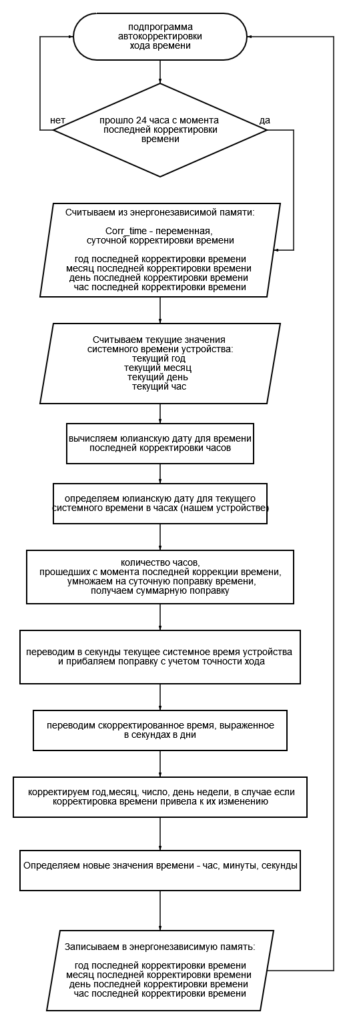
The models of the clock device use real-time clocks DS1307, DS3231. Unfortunately, all these time sources have an error. For example, DS1307 have an error of 5-20 seconds per day. This amounts to up to two hours per year. The DS3231 time source is much more accurate, but also has an error of 1-4 seconds per day.

The accuracy of the clock can be significantly improved if automatic time adjustments are made at certain time intervals. For watches using DS1307, this algorithm described below reduces the error to 1 second per day (6 minutes per year).

Description of the algorithm

We determine the error of the clock. We synchronize the clock with the exact astronomical time and wait for a few days. Then we compare the time on our watch with the source of the exact time and divide the error by the number of days for which the error has accumulated. For example, in 5 days the clock is 40 seconds behind. This means that the daily error of the clock is 8 seconds.


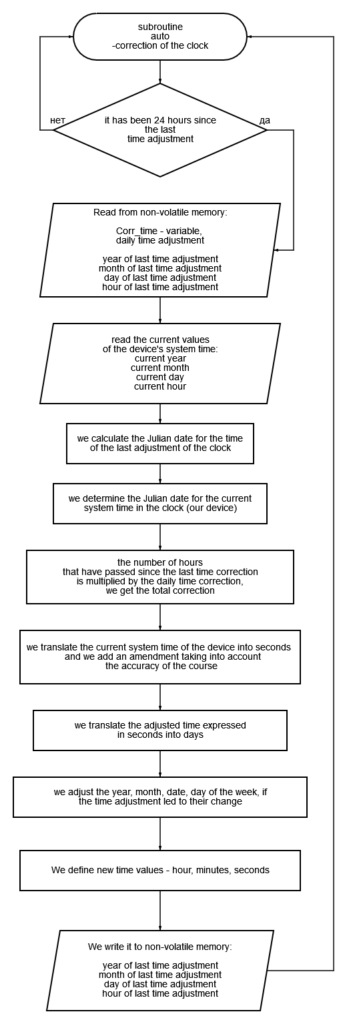
The essence of the automatic clock correction algorithm is that the automatic clock correction mechanism is triggered in two cases:

  1. When the clock is turned on;
  2. Every 24 hours of continuous operation.
  3. The date and exact time of the last clock adjustment are stored in non-volatile memory. This will allow you to calculate the magnitude of the stroke correction even in the event of a sudden loss of power to the watch. Or when the clock is turned off for a long time.
  4. The value of the clock stroke correction is determined as follows:
    1. the daily correction of the clock is read from the non-volatile memory;
    2. the Julian date of the last adjustment of the clock is determined — for this purpose, the date and exact time of the last adjustment of the clock are pre-read from the non-volatile memory;
    3. the Julian date of the current system time of the clock is determined;
    4. both dates are translated into the number of hours;
    5. The difference in Julian dates is the number of hours that have elapsed since the last time adjustment. This difference is multiplied by the hourly correction of the clock, which is the value of the correction of the clock in seconds;
    6. next, the current system time is converted to seconds, added up with the time correction and converted back to the date and exact time;
    7. a new system time is being set;
    8. The date and time of the last time adjustment is stored in the non-volatile memory of the Arduino.

A subroutine for adjusting the time of the clock

By following the link, you can download an archive with a text file containing a subroutine for adjusting the time of the clock.

Автоматическая корректировка хода часов на Ардуино

Автоматическая корректировка хода времени часов

В моделях устройства часов используются часы реального времени DS1307, DS3231. К сожалению все эти источники времени обладают погрешностью. Например DS1307 имеют погрешность 5-20 секунд в сутки. Это составляет до двух часов в год. Источник времени DS3231 намного более точный, но также имеет погрешность 1-4 секунды в сутки.

Точность хода часов можно значительно повысить, если через определенные интервалы времени производить автоматическую корректировку времени. Для часов, использующих DS1307, этот нижеописанный алгоритм позволяет сократить погрешность до 1 секунды в сутки (6 минут в год).

Описание алгоритма

Определяем погрешность хода часов. Синхронизируем часы с точным астрономическим временем и ждем несколько дней. Затем сверяем время на наших часах с источником точного времени и погрешность делим на количество дней, за которые накопилась ошибка. Например, за 5 дней часы отстают на 40 секунд. Это значит, что суточная погрешность хода часов составляет 8 секунд.

Суть алгоритма автоматической коррекции хода часов состоит в том, что механизм автоматической коррекции часов запускается в двух случаях:

  1. При включении часов;

  2. Каждые 24 часа непрерывной работы.

  3. В энергонезависимую память сохраняется дата и точное время последней корректировки часов. Это позволит вычислять величину коррекции хода даже в случае внезапного пропадания питания часов. Либо при отключении часов на длительное время.

  4. Величина коррекции хода часов определяется следующим образом:

    1. из энергонезависимой памяти считывается суточная поправка хода часов;

    2. определяется юлианская дата последней корректировки часов — для этого из энергонезависимой памяти предварительно считывается дата и точное время последней корректировки часов;

    3. определяется юлианская дата текущего системного времени часов;

    4. обе даты переводятся в количество часов;

    5. разница юлианских дат это количество часов, прошедших с момента последней корректировки времени. Эта разница умножается на часовую поправку хода часов, что и есть величина коррекции хода часов в секундах;

    6. далее текущее системное время переводится в секунды, складывается с поправкой времени и переводится обратно в дату и точное время;

    7. устанавливается новое системное время;

    8. дата и время последней корректировки времени сохраняется в энергонезависимой памяти Arduino.

Подпрограмма для корректировки хода времени часов

По ссылке можно скачать архив с текстовым файлом, содержащим подпрограмму для корректировки времени часов.

Яндекс.Метрика